
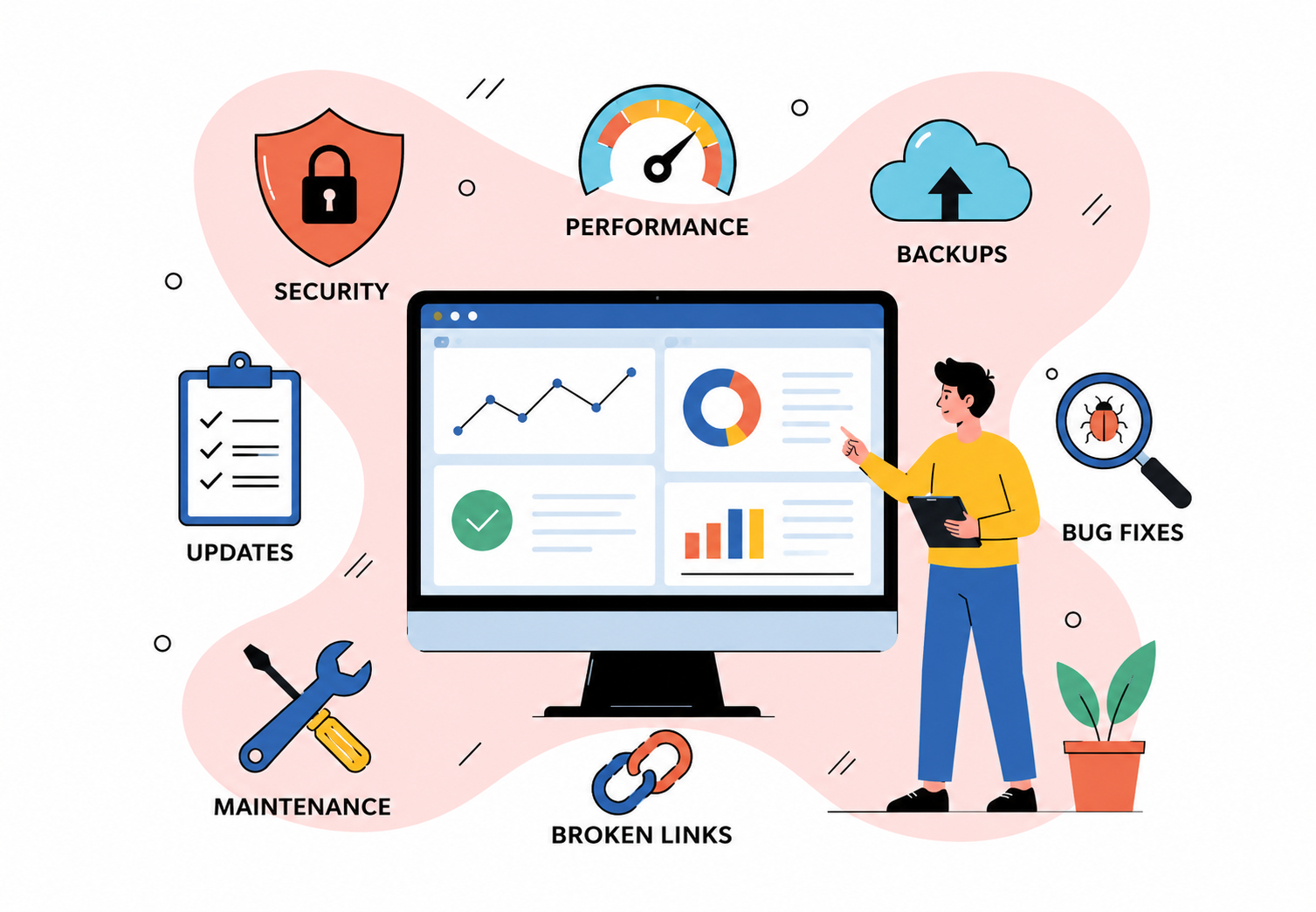
Website Maintenance: What Businesses Should Monitor After Launch
Launching a website is an important milestone, but it is not the end of your digital work. Once your site is live, regular monitoring helps you identify technical issues, protect customer data and maintain a smooth user experience. For US businesses, this is especially important when your website supports lead generation, online sales or customer service. A practical maintenance routine allows you to address small problems before they affect visitors, conversions or search visibility.
Why Website Maintenance Matters After Launch
A website can perform well at launch and still develop problems as technology, content and business requirements change. Plugins may become outdated, links can break and pages can become slower as new features are added.
Mind Digital highlights website maintenance through Annual Maintenance Contracts and provides development solutions designed for long-term functionality and scalability.
Regular maintenance helps you:
- Protect Website Functionality: Check forms, menus, search features, payment processes and other interactive elements to ensure they continue working correctly.
- Reduce Security Risks: Keep your CMS, plugins, frameworks and other software components updated. Security monitoring is also important because websites can be exposed to malware, spam and other forms of abuse.
- Maintain User Experience: Monitor how easily visitors can navigate the website across desktops, tablets and mobile devices.
Monitor Website Performance
Website speed directly affects how visitors interact with your pages. A slow or unstable website can make it harder for users to find information, submit enquiries or complete purchases.
After launch, regularly review:
- Page Loading: Look for pages that have become noticeably slower after adding images, scripts, applications or new functionality.
- Mobile Performance: Test important pages on different screen sizes and devices. Navigation, buttons, forms and content should remain usable.
- Technical Errors: Monitor server errors, failed requests and pages that do not load correctly.
- Core Web Vitals: Use Google’s performance tools to assess key aspects of page experience and identify areas that may need technical improvement.
Performance should not be treated as a one-time launch task. Changes to content and functionality can gradually affect how a website performs.
Check Security And Technical Updates
Security maintenance should be part of your routine rather than something you consider only after an incident.
Your maintenance process should include:
- Software Updates: Review the CMS, plugins, frameworks and third-party integrations for available updates. Test important updates before applying them to a live website where appropriate.
- Security Monitoring: Watch for unusual activity, unauthorised changes, malware warnings and suspicious form submissions.
- Backups: Maintain reliable backups and periodically confirm that they can actually be restored. A backup is useful only if your team can recover the website when required.
- Access Control: Review administrator accounts and remove unnecessary access. Use strong passwords and appropriate authentication measures.
Monitor SEO And Search Visibility
A newly launched website can lose search visibility if technical changes create crawling or indexing problems. Google recommends meeting its technical requirements and following Search Essentials to help pages remain eligible for search.
Pay attention to:
- Indexing Issues: Check whether important pages remain indexed and investigate unexpected drops in indexed pages.
- Broken Links: Find internal and external links that return errors or send users to outdated destinations.
- Metadata: Review page titles and descriptions when pages are added or significantly changed.
- Sitemaps And Robots Files: Make sure these continue to reflect the current website structure.
- Organic Traffic: Monitor significant changes in search traffic and investigate unusual patterns rather than assuming every fluctuation is a technical problem.
Google also notes that broad search updates can affect website traffic, so changes should be assessed alongside other technical and content factors.
Review Forms, Tracking And Conversions
For many businesses, the website’s main purpose is to generate enquiries or sales. That means tracking whether important conversion paths still work is essential.
Test contact forms, newsletter sign-ups, booking tools, shopping carts and checkout processes regularly. Also check analytics and tracking systems to confirm that important actions are being recorded correctly. If a form works for visitors but the notification does not reach your team, the business can still lose valuable leads.
This is one area where ongoing technical support can be particularly useful. Businesses looking for Website Development Services USA should consider whether a provider can support the website after launch rather than focusing only on initial development.
Keep Content Accurate And Relevant
Website maintenance is not limited to technical tasks. Your visitors should also find information that is current and useful.
Review key business details such as:
- Contact Information: Confirm phone numbers, email addresses, locations and opening hours remain accurate.
- Products And Services: Update descriptions, pricing, availability and service information when changes occur.
- Legal Pages: Review privacy notices, cookie information and other relevant policies when your business processes or practices change.
- Visual Content: Replace outdated images and check that media files display correctly.
Create A Simple Maintenance Schedule
A clear schedule makes maintenance easier to manage and reduces the risk of important tasks being forgotten.
| Frequency | What To Monitor |
| Weekly | Forms, website availability, major errors and critical security alerts |
| Monthly | Backups, broken links, performance, analytics and software updates |
| Quarterly | SEO health, content accuracy, user experience and access permissions |
| As Needed | New features, integrations, security issues and significant business changes |
The exact frequency should depend on your website. An e-commerce platform with frequent transactions may require closer monitoring than a small informational website.
Make Maintenance Part Of Your Website Strategy
Your website should evolve alongside your business. Mind Digital works across web development, e-commerce, CMS and custom solutions and highlights scalable, flexible development as part of its approach.
Rather than waiting for visitors to report problems, use website analytics, technical checks and scheduled reviews to identify issues early. A consistent maintenance process helps you keep the website secure, functional, accessible and aligned with business objectives.
Conclusion
Website maintenance keeps your investment working after launch. By monitoring performance, security, SEO, functionality, tracking and content, you can identify problems early and provide visitors with a reliable experience.
Set a maintenance schedule based on your website’s needs, document important checks and review the results regularly. This makes ongoing website management more organised and helps your website remain useful as your business grows.
Frequently Asked Questions (FAQ’S):
1. How Often Should A Business Website Be Maintained?
Basic checks should happen regularly, while deeper technical, security, SEO and content reviews can be scheduled monthly or quarterly. The right frequency depends on the website’s complexity and how frequently it changes.
2. What Should Be Checked Immediately After A Website Launch?
Test forms, navigation, mobile responsiveness, page speed, analytics tracking, redirects, important links and checkout or booking functions. You should also verify that key pages can be found and indexed appropriately.
3. Why Are Website Backups Important?
Backups provide a recovery option if a technical failure, security incident or incorrect update damages the website. Regularly testing restoration is important because it confirms that the backups are usable.
4. Does Website Maintenance Affect SEO?
Yes. Broken links, indexing problems, slow performance and technical errors can affect how users and search engines interact with your website. Regular monitoring helps you identify these issues before they become larger problems.
5. Can Website Maintenance Be Outsourced?
Yes. Businesses can work with a web development or maintenance provider when they do not have the internal resources to manage technical updates, security, performance and ongoing improvements. The important consideration is choosing support that matches the website’s technology and business needs.
Related Posts



Follow us
Recent post
Popular post
- How To Call Batch Apex By Scheduler Class Within Salesforce
- What Is The Importance Of Google Algorithm Updates
- How To Create Dynamic Dependent Picklist Of Objects Within Salesforce
- What Is Wrapper Class & How To Use It In Salesforce
- How To Create Pagination Within Salesforce
- Tips For Hiring A Good Offshore Drupal Development Company
- Web Development Mistakes That Affect Your Online Reputation
- How To Integrate Google Maps Into Your Salesforce Software
- Check Your Link Building Strategy For 2014
- Tips For Selling Products Through Social Networking
- How To Create A Chart With Salesforce
- Benefits of Using India For Outsourcing & Offshore Development
- How To Integrate Salesforce With Facebook
- What Is Service Cloud Console In Salesforce & How To Enable It
- Superior Offshore Web Development At A Reasonable Cost
- How To Create Bucket Fields In Your Salesforce Reports
- 5 Things To Consider When Hiring A Drupal Developer
- Growth Of E-commerce Website Development
- Challenges In Hiring An Offshore Web Development Company
- 10 Tips When Creating Batch Apex In Salesforce
- What To Include & What To Exclude In SEO Plans
- How To Create An Opportunity Using A Visualforce Page In Salesforce
- Hire An Offshore Ruby On Rails Development Company Over A Freelancer
- Hire Drupal Developers Offshore To Increase Your Capabilities
- Effective SEO In A Post Panda Update – The Rules Have Changed
- Common Mistakes In Offshore Web Development
- What To Consider While Hiring A Dedicated Ruby On Rails Developer?
- Smart Phone & Tablet User Penetration
- Tips For Hiring A Good Offshore PHP Development Company
- Why Responsive Web Design Is Essential For Your Business
- How To Email Documents From Salesforce
- Website Development And Website Design Company India
- Why Work With An Offshore Development Company?
- How To Create Tab Panel In Salesforce
- How To Avoid 5 Common Off-Page SEO Mistakes
- The Multi-Billion Dollar Offshore Software Development Industry
- What Are The Advantages Of Digital Marketing Over Traditional Marketing?
- SEO & Conversational Keyword Search
- How To Avoid 5 Common On-Page SEO Mistakes
- How To Add Google Authorship And Its Benefits For Better SEO
- What’s Better For Facebook Ads: CPC Or CPM?
- Questions To Ask Your Potential Search Engine Optimization Partner
- How To Create Batch Apex In Salesforce
- Benefits Of Offshore PHP Development For Your Businesses
- Offshore Magento Development Means More Than Just Development Help
- Why You Should Consider Hiring Joomla Developers Offshore
- What To Look For When Hiring A Dedicated OpenCart Developer
- Stop Using Free Web Templates – Hire A Web Development Company
- How To Manage An Offshore Development Company?
- Hire Offshore Software Professionals To Help Your Business
- Offshore Development Is A Sensible Solution For Recessionary Times
- Why You Should Offshore Your Joomla Website Development
- 5 Tips To Help You Hire A Good Offshore PHP Development Company
- Reasons Why Salesforce CRM Customization Is Easy
- PHP Development – Turn Your Website Into A Multi-Featured Web Application
- 5 Things To Ask A Web Development Company Before Starting Work
- How A Multifaceted Web Development Company Can Help You?
- Take Advantage By Hiring A PHP Development Company From India
- Use Social Media Marketing To Improve Your Brand Identity
- Hiring Dedicated Developers From Offshore Development Companies
- See Measurable Results By Hiring Dedicated Ruby On Rails Developer
- Avoid 4 Common WordPress Development Mistakes
- Can “Developed By” Links Hurt Your SEO?
- How To Get All Salesforce Components In Force.com IDE
- The Manifold Advantages Of Working With An Offshore Web Development Company
- Web Development Company In India Defined
- Hire A Dedicated Drupal Developer To Develop A High Performance CMS
- Offshore Development – The Most Beneficial And Cost Effective Way To Outsource Your Business
- What To Look For When Hiring An Offshore Development Company
- Why Dedicated PHP Web Developers Are In Demand
- How To Avoid Some Common Mistakes When Working With An Offshore Web Development Company
- How To Choose An SEO Company
- Factors To Consider When Hiring Offshore Developers In India
- What To Look For When Hiring Dedicated Magento Developers
- Why Google Create Its Own Title Instead Of Using Yours
- 3 Challenges of Working with an Offshore Web Development Company
- Why Ruby On Rails Development Has Become Popular
- Why Hire A Web Development Company That Also Offers SEO
- 10 Tips And Tricks For Salesforce
- Are Back-links Losing Their Importance To Google Search Rankings
- The Significance Of A Salesforce Developer
- 4 Reasons to Hire A Web Development Agency Over A Freelancer
- Hire A PHP Developer- How Outsourcing Can Be A Key To Success
- Importance Of Strategic Digital Marketing For Business Growth
- Factors To Keep In Mind Before Hiring Dedicated Magento Developer
- Web Development India – For Prompt And Accurate Services
- Looking For An Offshore PHP Development Company, Where Do I Begin?
- 5 SEO Myths
- How To Choose A Company When Hiring Dedicated PHP Developers
- Why You Should Optimize For Local Search
- Hiring Offshore WordPress Developers Can Help Your Business
- How To Use Social Networking To Market Your Business
- Why Offshore Web Development To India Makes Business Sense
- 5 Factors To Consider When Hiring A Web Development Company
- Top Five Benefits Of Salesforce
- Benefits Of Hiring A Dedicated PHP Developer From India
- Using SEO & Social Media Together
- How Can An SEO Company Help Your Profile Online
- Strategic Importance Of Mobile SEO
- Choose The Social Media Network That Suits Your Business
Archives
- October 2026
- September 2026
- August 2026
- July 2026
- June 2026
- May 2026
- April 2026
- March 2026
- February 2026
- January 2026
- December 2025
- November 2025
- October 2025
- September 2025
- August 2025
- July 2025
- June 2025
- May 2025
- April 2025
- March 2025
- February 2025
- January 2025
- December 2024
- November 2024
- October 2024
- September 2024
- July 2024
- June 2024
- May 2024
- April 2024
- March 2024
- February 2024
- September 2023
- August 2023
- July 2023
- June 2022
- May 2022
- March 2022
- January 2022
- August 2021
- July 2021
- June 2021
- May 2021
- January 2021
- December 2020
- September 2020
- August 2020
- July 2020
- June 2020
- April 2020
- March 2020
- December 2019
- November 2019
- October 2019
- September 2019
- August 2019
- July 2019
- June 2019
- May 2019
- April 2019
- March 2019
- February 2019
- January 2019
- December 2018
- November 2018
- September 2018
- April 2018
- February 2018
- January 2018
- September 2017
- August 2017
- July 2017
- June 2017
- May 2017
- April 2017
- March 2017
- February 2017
- January 2017
- December 2016
- November 2016
- October 2016
- September 2016
- August 2016
- July 2016
- June 2016
- May 2016
- April 2016
- March 2016
- February 2016
- January 2016
- December 2015
- November 2015
- October 2015
- September 2015
- August 2015
- July 2015